
Printable maze generator: readable pages
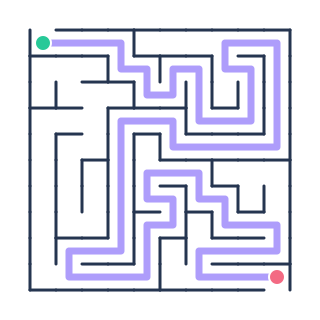
A printable maze generator should prioritize usable corridors over decoration. Start with Medium when printing on letter-size or A4 paper, and choose Small for larger pencil-friendly paths. Keep the solution hidden in the puzzle itself; the separate answer page can display it clearly. For crisp lines at any scale, export SVG instead of enlarging a small screenshot.
Printable maze generator answers and printing
- Choose the maze shape, size and difficulty.
- Generate a maze and inspect the preview.
- Leave Include answer key enabled if you need a separate solved page.
- Select Print / Save as PDF and choose your printer or PDF destination.
The printable maze generator keeps printer backgrounds white, so the result uses much less ink than a colorful on-screen illustration. Both the original puzzle and answer sheet use the identical internal map. This avoids the common problem of a solution belonging to a different regenerated maze.
Printable maze generator formats: PNG, SVG or PDF?
Choose PNG if you want a picture for a document or message. SVG is editable vector artwork suitable for scaling. Use the print dialog for PDF and double-check the preview before final printing. For page titles, name lines and classroom instructions, the dedicated worksheet page gives you better control than this simple printable maze generator.
Printable maze generator FAQ
Does the printable maze generator put answers on the same page?
Not by default. The answer key is generated as a separate page when the checkbox is selected.
Can I print on A4?
Yes. Choose A4 in your printer's paper settings and use Fit to page if necessary.
Does downloading require a login?
No. The printable maze generator produces files in your browser without an account.