
What makes a maze worksheet generator useful?
A worksheet needs more than a square puzzle. The maze worksheet generator gives each page a headline, a brief task description and a space for a student's name and date. These elements appear in the printed sheet, not only in the on-screen form. Select a smaller grid for a short warm-up or a larger one for independent work after a lesson.
Use the maze worksheet generator in class
- Enter a short title such as “Find the Library” or “Follow the Trail.”
- Add one instruction that students can understand without extra explanation.
- Generate the maze and review its start and exit.
- Print the worksheet and a separate answer key for the teacher.
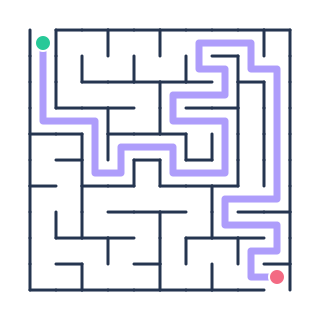
The maze worksheet generator creates each maze from a connected cell graph and computes the answer from that same structure. This matters when distributing multiple versions: students receive a genuine puzzle and the teacher receives a matching solved route. If you need an entire collection, use the puzzle book maker rather than repeatedly printing one worksheet.
Maze worksheet generator activity ideas
Use a maze for fine-motor practice, route planning, an early-finisher station or a themed lesson introduction. Difficulty presets adjust grid dimensions and corridor character, but the teacher should still inspect each sheet for the specific age group. Printing in black on white keeps copies inexpensive and makes the worksheet easy to annotate.
Maze worksheet generator FAQ
Can the maze worksheet generator add instructions?
Yes. Enter a short sentence in the worksheet instruction field and it will appear above the printed puzzle.
Does the maze worksheet generator reveal the solution?
No. When selected, the solution appears on a separate print page.